
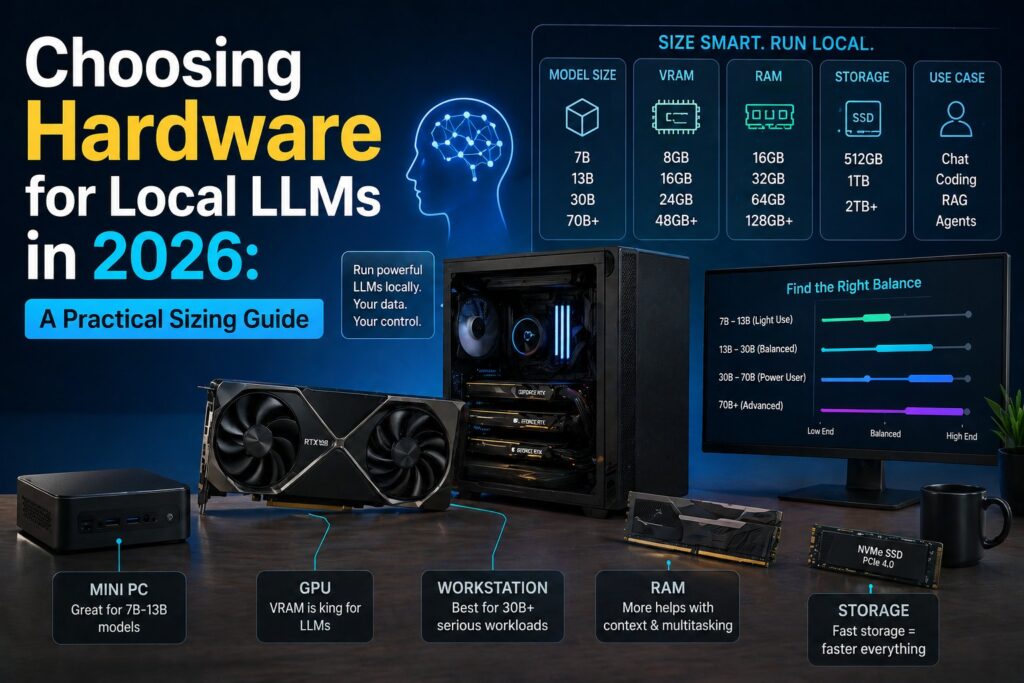
How much RAM, VRAM, and GPU do you actually need? An engineer’s guide to picking hardware for running LLMs locally — without overspending, and without surprises.
Why this matters
In our previous post, How to Use Local LLM Models in Daily Work, we covered why you would run an LLM locally — privacy, offline capability, cost control, and customization. The next question every reader hits within five minutes of trying is the same:
"Which model can I actually run on my machine, and how fast will it be?"
Vendor marketing is unhelpful here. The "minimum requirements" listed on model cards are almost always wrong in practice — usually too optimistic. This guide is the practical version: real numbers, honest tradeoffs, and concrete hardware tiers updated for April 2026.
The basic memory math
The single most important formula:
Memory needed ≈ (parameters × bytes per parameter) + KV cache + overheadThat’s it. Everything else is a refinement of this.
A "7B" model has 7 billion parameters. At full precision (FP16, 2 bytes per parameter), that’s 14 GB just to load the weights. You then need:
- KV cache — proportional to context length × model size. For a 7B model at 8K context, this is 1–2 GB. At 32K context, 4–8 GB.
- Framework overhead — typically 10–20% on top.
- Activation memory — small for inference, but non-zero.
In practice, plan for roughly 20–30% on top of pure weight size. A 7B model in FP16 needs about 18 GB of usable memory, not 14 GB.
This is why quantization is the single most important concept for running local LLMs.
Quantization, plainly
Quantization compresses weights from FP16 (16-bit floating point) to lower-precision integer representations. The model loses some quality, but the memory savings are dramatic.
| Format | Bits/param | 7B model | 14B model | 32B model | 70B model | Quality vs FP16 |
|---|---|---|---|---|---|---|
| FP16 | 16 | 14.0 GB | 28.0 GB | 64.0 GB | 140 GB | Reference |
| Q8_0 | 8.5 | 7.5 GB | 15.0 GB | 34.0 GB | 75 GB | ~99% |
| Q6_K | 6.6 | 5.8 GB | 11.5 GB | 26.5 GB | 58 GB | ~98% |
| Q5_K_M | 5.7 | 5.0 GB | 10.0 GB | 23.0 GB | 50 GB | ~97% |
| Q4_K_M | 4.8 | 4.2 GB | 8.5 GB | 19.5 GB | 42 GB | ~95% |
| Q3_K_M | 3.9 | 3.4 GB | 7.0 GB | 16.0 GB | 35 GB | ~90% (notable) |
| Q2_K | 3.0 | 2.6 GB | 5.5 GB | 12.0 GB | 27 GB | Significant degradation |
Practical rule of thumb:
- Q4_K_M is the default sweet spot. Use this unless you have a reason not to.
- Q5_K_M or Q6_K if you have the VRAM and care about quality (RAG, code, reasoning).
- Q8_0 only if you have abundant memory and want near-FP16 quality.
- Q3_K_M and below only when nothing else fits — the quality drop is visible.
Add ~25% on top of these numbers for KV cache and overhead at typical 8K–16K context lengths. At 32K+ context the KV cache grows substantially and starts to dominate.
KV cache: the often-forgotten cost
The KV cache scales with context length. For long contexts (RAG over long documents, code repositories, multi-turn conversations), it can exceed the weight size on smaller models.
Approximate KV cache size at FP16, per 1K tokens of context:
| Model size | Per 1K context |
|---|---|
| 7B | ~150 MB |
| 14B | ~250 MB |
| 32B | ~500 MB |
| 70B | ~1.2 GB |
So a 32B model at 32K context burns ~16 GB just on KV cache. This is why people running long-context RAG suddenly hit OOM errors that the weight-size math didn’t predict. Some inference engines (llama.cpp, MLX) support quantized KV cache (Q8 or Q4 for KV) which roughly halves or quarters this — usually with negligible quality cost. Turn it on if your tool exposes it.
The four hardware tiers
Hardware for local LLM falls into four practical tiers in 2026. Pick the tier that matches your primary use case, not the most ambitious one.
Tier 1 — Entry / Laptop daily driver
Memory: 8–16 GB unified, or 8–12 GB VRAM
Models you can run well: 3B–8B at Q4_K_M
Tokens/second: 15–35 (acceptable for chat)
Realistic hardware:
- MacBook Air M2/M3/M4 16 GB
- Mac mini M4 16 GB
- Laptop with RTX 4060 8 GB / 4070 8 GB
- Desktop with RTX 3060 12 GB (great budget pick)
Recommended models (April 2026):
- Llama 3.1 8B Instruct Q4_K_M — solid generalist
- Qwen 2.5 7B Instruct Q4_K_M — strong multilingual, good Thai/Japanese
- Gemma 3 9B Q4_K_M — newer, efficient
- Phi-4 14B Q3_K_M — surprisingly capable for size, tight quant
What you can’t do: real reasoning tasks, large RAG, anything requiring 14B+ at decent quant. This tier is for chat, drafting, light code completion, and simple summarization. Don’t push it.
Tier 2 — Sweet spot (most readers should be here)
Memory: 24–48 GB unified, or 16–24 GB VRAM
Models you can run well: 13B–14B at Q5/Q6, 32B at Q4
Tokens/second: 25–80 depending on model and platform
Realistic hardware:
- MacBook Pro M3 Pro / M4 Pro 36–48 GB
- Mac Studio M2 Max 32 GB
- Desktop RTX 4070 Ti Super 16 GB
- Desktop RTX 4080 16 GB
- RTX 3090 24 GB (used) — still the price/performance king in 2026
- RTX 4090 24 GB
Recommended models:
- Qwen 2.5 14B Instruct Q5_K_M — excellent generalist, multilingual
- Qwen 2.5 32B Instruct Q4_K_M — punches above its weight class
- Llama 3.3 70B Q3_K_M — only just fits, quality compromise but possible
- DeepSeek-R1-Distill-Qwen-32B Q4 — best reasoning at this tier
- bge-m3 or Qwen3-Embedding-0.6B as embedding model alongside
This is the right tier for most professional use: serious coding assistance, RAG over a real document corpus, long-context summarization, and bilingual or multilingual workflows.
Tier 3 — Power user / Small team workstation
Memory: 64–128 GB unified, or 32–48 GB VRAM
Models you can run well: 32B at Q6/Q8, 70B at Q4_K_M
Tokens/second: 10–25 for 70B class
Realistic hardware:
- Mac Studio M4 Max 64–128 GB
- MacBook Pro M4 Max 64–128 GB (mobile workstation)
- Desktop with RTX A6000 48 GB (workstation card)
- 2× RTX 3090 24 GB (48 GB combined, NVLink optional) — best $/GB
- 2× RTX 4090 24 GB (48 GB combined, no NVLink)
- Single RTX 5090 32 GB (new generation)
Recommended models:
- Llama 3.3 70B Instruct Q4_K_M — flagship open weights
- Qwen 2.5 72B Instruct Q4_K_M — multilingual flagship
- DeepSeek-R1-Distill-Llama-70B Q4 — best open reasoning model
- Qwen 2.5 Coder 32B Q6_K — dedicated coding model at high quality
This is where local LLM becomes genuinely useful for serious work: a 70B-class model at decent quantization is competitive with mid-tier cloud APIs for most tasks. RAG, agentic workflows, code generation across full repositories — all viable here.
Tier 4 — Enthusiast / Production server
Memory: 192 GB+ unified, or 80–192 GB VRAM (multi-GPU)
Models you can run well: 70B at Q8, 100B+ models, MoE models like DeepSeek-V3
Tokens/second: depends heavily on configuration
Realistic hardware:
- Mac Studio M3 Ultra / M4 Ultra 192–512 GB unified
- 4× RTX 3090 (96 GB combined) on a workstation board
- Single H100 80 GB or A100 80 GB (used market exists)
- Dual RTX 6000 Ada 48 GB
This is the tier where things like DeepSeek-V3 (671B MoE, 37B active) become realistic — though even at Q4 the weights are 350+ GB. MoE models are interesting because only a fraction of parameters activate per token, so throughput on high-memory-bandwidth systems (Mac Studio Ultra) can be surprisingly good.
For most readers, this tier is overkill. It only makes sense if you’re hosting an internal team of 5+ users, running production RAG, or doing model research.
Apple Silicon vs NVIDIA: the honest tradeoff
This is the single most-asked question. The honest answer is "it depends," but here’s the breakdown that actually matters:
Apple Silicon advantages:
- Unified memory. A Mac Studio M4 Max with 128 GB lets you load a 70B model that would require an RTX A6000 48 GB or dual 3090s on the NVIDIA side.
- Power efficiency. A 70B model on an M4 Max draws ~80W under load. The same workload on dual 3090s pulls 600W+.
- Silent, cool, reliable. Important in Bangkok heat. A desktop GPU stack will struggle in a non-air-conditioned room.
- No driver hell. It just works.
Apple Silicon disadvantages:
- Slower per-token inference than equivalent NVIDIA hardware. A 70B model on M4 Max runs at ~12–15 tok/s; on dual RTX 3090s it runs at ~22–28 tok/s.
- Much more expensive per GB of usable memory at the high end. 128 GB on Mac is significantly more than 48 GB across two 3090s.
- Limited training and fine-tuning ecosystem. Inference is fine; training is painful outside of MLX.
- No CUDA. Many tools, libraries, and research code assume CUDA.
NVIDIA advantages:
- Speed. End of story — for raw inference throughput, NVIDIA wins.
- CUDA ecosystem. Every framework, every paper, every tool supports it first.
- Flexibility. Easy to add more GPUs, easy to upgrade.
- Used market. RTX 3090 24 GB is widely available used in Thailand at reasonable prices.
NVIDIA disadvantages:
- Heat and noise. A real consideration in a tropical climate.
- Power consumption. 600W+ for dual-GPU rigs.
- Driver and CUDA version churn. Things break.
- Limited single-card VRAM at consumer pricing. 24 GB has been the consumer ceiling for years; the 5090’s 32 GB only marginally helps.
Practical recommendation:
- Solo developer, daily use, want quiet: Mac. Get the most unified memory you can afford.
- Solo developer, want speed and don’t mind a desktop: Single RTX 3090 (used) or 4090.
- Small team, hosting models for others: Dual 3090 workstation.
- You already have the hardware: Use what you have. Both work.
What about CPU-only?
It works, but you should not plan around it. With DDR5 and a recent CPU, a 7B Q4 model runs at 4–8 tokens/second on CPU — usable for non-interactive batch work, painful for chat. Anything 13B+ on CPU is too slow to use interactively.
If you’re CPU-only on a server, llama.cpp with all CPU optimizations enabled is your tool. But the right answer is usually "buy a used 3090 or a Mac mini."
Decision tree
flowchart TD
    Start["What is your primary use case?"]
    Start --> Daily["Daily chat, drafting, light coding"]
    Start --> RAG["RAG over private documents"]
    Start --> Code["Serious coding assistant"]
    Start --> Reason["Reasoning, analysis, agents"]

    Daily --> DailyMem["Need: 16-32 GB unified or 12 GB VRAM"]
    RAG --> RAGMem["Need: 32-64 GB unified or 16-24 GB VRAM"]
    Code --> CodeMem["Need: 48-96 GB unified or 24 GB VRAM"]
    Reason --> ReasonMem["Need: 96 GB+ unified or 48 GB+ VRAM"]

    DailyMem --> DailyHW["Mac mini M4 16-32 GB<br/>or RTX 3060 12 GB used"]
    RAGMem --> RAGHW["Mac M4 Pro 36-48 GB<br/>or RTX 3090 24 GB used"]
    CodeMem --> CodeHW["Mac Studio M4 Max 64 GB<br/>or RTX 4090 24 GB"]
    ReasonMem --> ReasonHW["Mac Studio M4 Max 128 GB<br/>or 2x RTX 3090 48 GB"]
Common pitfalls
A short list of mistakes I see repeatedly:
- Buying for the model you wish you had, not the one you’ll use. Most users genuinely run 8B–14B models 90% of the time. Don’t buy 128 GB to run a 70B model you’ll touch twice a month.
- Ignoring KV cache. Long-context RAG is a different memory problem than chat. Size accordingly.
- Buying Q3 quantization "to make it fit." If you have to drop to Q3_K_M to fit a model, run a smaller model at Q5_K_M instead. Quality will be better.
- Mixing model and embedding model memory budgets. If you’re doing RAG, your embedding model and your LLM both live in memory. Account for both.
- Forgetting the OS. Reserve 4–8 GB for the operating system and applications. Don’t allocate 100% of unified memory to the LLM.
- Underestimating heat. A dual-3090 rig in a Bangkok apartment without good airflow will throttle. Plan ventilation.
- Confusing MoE memory. DeepSeek-V3 is "37B active" but you still need to load all 671B parameters into memory (or use offloading, which kills throughput).
Realistic benchmark numbers (April 2026)
Approximate inference speeds, single user, ~4K context:
| Hardware | 8B Q4 | 14B Q4 | 32B Q4 | 70B Q4 |
|---|---|---|---|---|
| MacBook Air M3 16 GB | 22 t/s | OOM | OOM | OOM |
| Mac mini M4 24 GB | 30 t/s | 18 t/s | OOM | OOM |
| MacBook Pro M4 Pro 48 GB | 45 t/s | 28 t/s | 14 t/s | OOM |
| Mac Studio M4 Max 128 GB | 70 t/s | 50 t/s | 28 t/s | 14 t/s |
| RTX 3060 12 GB | 60 t/s | offload | offload | offload |
| RTX 3090 24 GB | 110 t/s | 75 t/s | 35 t/s | offload |
| RTX 4090 24 GB | 140 t/s | 95 t/s | 45 t/s | offload |
| 2× RTX 3090 (48 GB) | 110 t/s | 75 t/s | 50 t/s | 22 t/s |
| RTX 5090 32 GB | 170 t/s | 115 t/s | 60 t/s | offload |
"OOM" = out of memory. "Offload" = partial CPU offload, throughput drops 5–10×.
Numbers vary with quantization, context length, prompt processing, and software stack (llama.cpp vs MLX vs vLLM vs Ollama). Treat these as orientation, not promises.
Conclusion
The right hardware for local LLM is the cheapest hardware that runs the model class you actually use, with margin for KV cache and OS. For most professional users in 2026, that’s:
- Mac mini M4 24–32 GB for casual use
- Mac Studio M4 Max 64 GB or used RTX 3090 for serious work
- Mac Studio M4 Max 128 GB or dual 3090 for team-grade or 70B-class workloads
Don’t overbuy for ambitions you won’t realize. Don’t underbuy and end up running Q3 quantizations that hurt quality. The sweet spot is the second tier — and most people fit comfortably there.
Once you have hardware, the next steps are picking your inference stack and integrating it into real workflows. We’ve covered both elsewhere:
- How to Use Local LLM Models in Daily Work — the conceptual primer
- LM Studio System Prompt Engineering for Code — getting the most out of your model
- LlamaIndex + pgvector: Production RAG for Thai and Japanese Business Documents — building real RAG on top
If you’re choosing hardware for an organizational deployment — multiple users, integration with existing systems, security and compliance — that’s a different conversation. Get in touch and we’ll help you size it properly.
Simplico builds production AI, ERP, and security systems for clients in Thailand, Japan, and beyond. We’ve deployed local LLM stacks for factory environments, SOC workflows, and document intelligence platforms. If you’re starting a local LLM project and want engineering input rather than vendor pitches, we’re tum@simplico.net or LINE @simplico.
Latest Posts
- The Site Host Problem: Giving a Condo, Hotel or Restaurant Its Own Charger Dashboard Without Another Account to Manage October 17, 2026
- Which Product Should a Creator Promote? An Idea We Want to Test October 14, 2026
- Japan’s Active Cyber Defense Law Is Live: What Suppliers to Critical-Infrastructure Operators Should Have Ready in the First 30 Days October 13, 2026
- Find a Subaru Service Shop in Thailand: A Small Tool That Shows Where Each Detail Came From October 12, 2026
- simpliRange Is Live in Early Form: Try the EV Road-Trip Planner Built for Thai Roads and Tell Us Where It’s Wrong October 8, 2026
- Will I Make It to the Next Charger? An Idea for an EV Road-Trip Planner Built for Thai Roads, and Why We Want Your Feedback First October 6, 2026