
You’ve already tuned top_p, top_k, and repeat_penalty. Your output stopped looping and the nonsense dropped. But your coding model still wanders off-topic, forgets earlier code, or refuses to stop where you want it to.
That’s a different set of knobs — and they’re just as important.
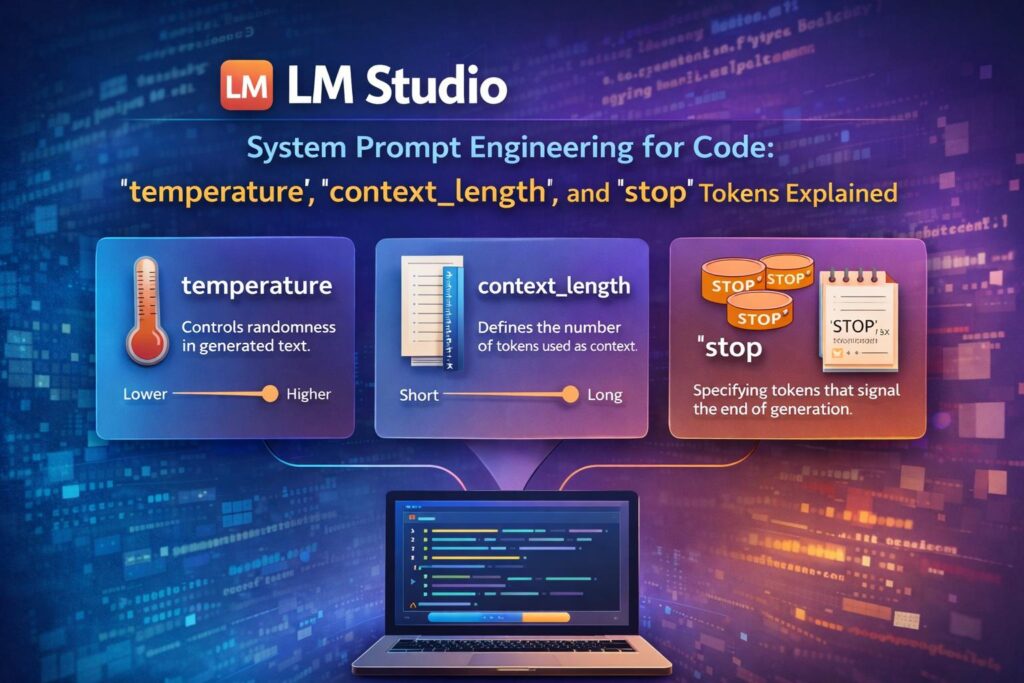
This post covers the three parameters that control how the model thinks about its role, how much it remembers, and where it stops writing: temperature, context_length, and stop tokens.
🌡️ What is temperature?
If top_p and top_k filter which tokens are candidates, temperature controls how confidently the model picks among them.
Think of it as a dial between focused and creative:
temperature = 0.0→ fully deterministic. The model always picks the single most likely token. Same prompt = same output every time.temperature = 0.2→ slightly relaxed. Occasionally considers the second or third most likely token.temperature = 1.0→ fully probabilistic. All candidate tokens treated equally — unpredictable output.temperature > 1.0→ beyond chaotic. Avoid for code.
👉 Best for coding: 0.1–0.3
Code is not creative writing. A function signature, a loop, a SQL query — there’s a correct answer and you want the model to commit to it. High temperature is why your model sometimes returns valid Python on one run and syntactically broken Python on the next.
{
  "temperature": 0.2
}
When to go slightly higher (0.4–0.6): Generating boilerplate, documentation comments, or README sections where some variation in phrasing is acceptable.
Never above 0.7 for code. You will get hallucinated library names, broken indentation, and logic that looks plausible but doesn’t run.
📏 What is context_length?
context_length (also called n_ctx in some UIs) defines how many tokens the model can "see" at once — its working memory.
This includes:
- Your system prompt
- The entire conversation history
- The document or code you pasted in
- The model’s own output so far
When the context window fills up, the model starts forgetting the beginning. For coding sessions this means it forgets your earlier function definitions, the variable names you established, or the project constraints you explained in the system prompt.
👉 Recommended settings by task:
| Task | context_length |
|---|---|
| Single function completion | 2,048 |
| File-level code review | 4,096 |
| Multi-file refactoring session | 8,192 |
| Large codebase Q&A | 16,384–32,768 |
{
  "n_ctx": 8192
}
The RAM cost: Context length directly determines how much RAM the model uses. On an 8GB machine, running a 7B model at n_ctx = 32768 will likely cause OOM errors or severe slowdown. A practical formula:
RAM for context ≈
n_ctx × 2 bytesfor a Q4 quantised model
So n_ctx = 8192 uses roughly 16MB of RAM for context storage alone — manageable. n_ctx = 32768 uses ~64MB. The model weights themselves consume the bulk; context adds on top.
The quality cliff: At the far end of the context window, most models start losing coherence — they "forget" what was said at the start even though it’s technically still in the window. For reliable coding assistance, keep your actual content to 70–80% of your set context_length. If you set n_ctx = 8192, treat 6,000 tokens as your practical ceiling.
🛑 What are stop tokens?
stop tokens tell the model: "When you see this string in your output, stop writing immediately."
Without them, the model will keep generating text past the logical end of its response — adding extra explanations, inventing follow-up code, or repeating itself.
{
  "stop": ["```", "# END", "\n\n\n"]
}
Why this matters for code specifically
When you ask the model to write a function inside a code block, you want it to stop at the closing triple backtick. Without a stop token, it often continues:
Without stop token:
```python
def calculate_tax(amount):
    return amount * 0.07
You could also extend this to handle different tax rates:
def calculate_tax(amount, rate=0.07):
    ...
Actually, here’s an even better version…
**With "stop": ["`"]:**def calculate_tax(amount):
return amount * 0.07
Clean. Done.

### Useful stop tokens for coding tasks:

| Use case | stop value |
|---|---|
| Code block output | ` "`" ` |
| Single function, no prose | "\ndef " (stops before next function def) |
| Structured JSON output | "}" + manual count, or schema validation |
| Diff / patch output | "---" |
| Preventing rambling explanations | "\n\n\n" (three blank lines) |

---

## ⚙️ Full Recommended Config for Coding in LM Studio

Combining this post's parameters with the previous top_p/top_k/repeat_penalty settings:

```json
{
  "temperature": 0.2,
  "top_k": 40,
  "top_p": 0.9,
  "repeat_penalty": 1.05,
  "n_ctx": 8192,
  "max_tokens": 2048,
  "stop": ["```", "\n\n\n"],
  "seed": -1
}
🧠 Writing a System Prompt That Actually Works for Code
These three parameters become significantly more powerful when combined with a well-written system prompt. The system prompt sets the model’s role and constraints before any code conversation starts — it consumes part of your context_length budget, so keep it concise.
What makes a good coding system prompt:
Be specific about language and style:
You are a Python 3.11 backend developer. Use type hints on all functions.
Follow PEP 8. Prefer standard library over third-party packages unless necessary.
Set output format expectations:
When writing code, output only the code block with no explanation before or after,
unless explicitly asked. Use triple backtick fences.
Establish project constraints:
This project uses FastAPI 0.111, PostgreSQL 16, and Python 3.11.
No Django. No SQLAlchemy — use raw asyncpg for database queries.
The full system prompt we use for backend work at Simplico:
You are a senior backend engineer. Stack: FastAPI, Python 3.11, PostgreSQL with asyncpg, pgvector.
Always use async/await. Use type hints. Follow PEP 8.
Output code only — no explanations unless asked. Use triple backticks.
If the task is ambiguous, ask one clarifying question before writing code.
Do not hallucinate library names. If unsure about an API, say so.
This prompt costs roughly 80–100 tokens — a small fraction of an 8,192-token context. The return on those tokens is enormous: fewer wrong-stack answers, cleaner output format, and a model that asks before assuming.
🧮 Putting It All Together: How These Parameters Interact
| Parameter | Controls | Coding sweet spot |
|---|---|---|
temperature |
How committed the model is to its top choice | 0.1–0.3 |
top_k |
How many token candidates are considered | 20–50 |
top_p |
What probability mass of candidates is included | 0.85–0.9 |
repeat_penalty |
Discouragement of repeating recent tokens | 1.05–1.1 |
n_ctx |
How much the model can "see" at once | 8,192 for most tasks |
stop |
Where the model stops generating | " + "\n\n\n"` |
Think of them as layers:
n_ctxsets the room size — how much the model can hold in memory.- The system prompt sets the rules of the room — role, stack, output format.
temperature+top_k+top_pcontrol how the model picks each word.repeat_penaltyprevents loops.stoptokens define the exit door.
✅ Key Takeaways
temperature= commitment → keep it low (0.1–0.3) for deterministic, correct code.context_length= working memory → size it to your task; don’t max it out blindly.stoptokens = clean endings → always set""` when generating code blocks.- System prompt = the multiplier → a 100-token system prompt pays dividends across every query in the session.
With these six parameters configured together, LM Studio stops being a "smart autocomplete" and becomes a reliable coding collaborator that stays on-stack, stops where you want, and doesn’t lose its context mid-session.
🔗 Related Posts
- Fine-Tuning LM Studio for Coding: Mastering
top_p,top_k, andrepeat_penalty - What Tools Do AI Coding Assistants Actually Use? (Claude Code, Codex CLI, Aider)
- LlamaIndex + pgvector: Production RAG for Thai and Japanese Business Documents
Need help configuring a local AI coding environment for your team? Contact Simplico — we build and optimise AI-assisted development workflows for engineering teams across Thailand, Japan, and beyond.
Latest Posts
- Scoping an EV Charging Platform for a Large Property Owner: Two Driver Apps, a Prepaid Wallet and Three Levels of Trust October 20, 2026
- The Site Host Problem: Giving a Condo, Hotel or Restaurant Its Own Charger Dashboard Without Another Account to Manage October 17, 2026
- Which Product Should a Creator Promote? An Idea We Want to Test October 14, 2026
- Japan’s Active Cyber Defense Law Is Live: What Suppliers to Critical-Infrastructure Operators Should Have Ready in the First 30 Days October 13, 2026
- Find a Subaru Service Shop in Thailand: A Small Tool That Shows Where Each Detail Came From October 12, 2026
- simpliRange Is Live in Early Form: Try the EV Road-Trip Planner Built for Thai Roads and Tell Us Where It’s Wrong October 8, 2026