GPU vs LPU vs TPU: Choosing the Right AI Accelerator
As AI systems move from experiments to 24/7 production, one question comes up in almost every project:
“Which accelerator should we use — GPU, LPU, or TPU?”
There is no single best chip. The right choice depends on what kind of AI work you run, how fast decisions must be made, and how the system is integrated.
This article explains the differences without marketing hype, from a system-architecture perspective.
1. GPU (Graphics Processing Unit)
What it was designed for
Originally for graphics → evolved into a general-purpose parallel compute engine.
Strengths
- Excellent for AI training
- Strong ecosystem (PyTorch, TensorFlow)
- Flexible: vision, LLMs, audio, simulation
- Easy to prototype and scale
Weaknesses
- High power consumption
- Overkill for simple inference
- Costly at scale for always-on workloads
Best use cases
- Model training
- Research & experimentation
- Multi-purpose AI workloads
- Computer vision pipelines
Think of GPU as:
A powerful factory with many machines — flexible, but expensive to keep running.
2. LPU (Language Processing Unit)
What it was designed for
Ultra-fast inference, especially for language models.
Strengths
- Extremely low latency
- Deterministic execution (predictable timing)
- Excellent for real-time AI
- Very high token-per-second throughput
Weaknesses
- Limited flexibility
- Not suitable for training
- Smaller ecosystem than GPUs
- Best when workload is well-defined
Best use cases
- Chatbots with real-time response
- AI assistants
- Edge or near-edge inference
- High-QPS inference servers
Think of LPU as:
A race car — unbeatable on a track, useless off-road.
3. TPU (Tensor Processing Unit)
What it was designed for
An AI-specific accelerator, optimized for tensor operations.
Strengths
- Very efficient for large-scale training
- Cost-effective at massive scale
- Excellent for batch ML workloads
Weaknesses
- Cloud-only in most cases
- Limited customization
- Vendor lock-in concerns
Best use cases
- Cloud-native ML
- Large batch training
- Ecosystems tightly coupled to specific cloud providers
Think of TPU as:
A specialized industrial plant — efficient, but only inside one ecosystem.
4. Quick Comparison Table
| Feature | GPU | LPU | TPU |
|---|---|---|---|
| Training | ⭐⭐⭐⭐⭐ | ❌ | ⭐⭐⭐⭐ |
| Inference latency | ⭐⭐⭐ | ⭐⭐⭐⭐⭐ | ⭐⭐⭐ |
| Flexibility | ⭐⭐⭐⭐⭐ | ⭐⭐ | ⭐⭐⭐ |
| Power efficiency | ⭐⭐ | ⭐⭐⭐⭐ | ⭐⭐⭐⭐ |
| Ecosystem | ⭐⭐⭐⭐⭐ | ⭐⭐ | ⭐⭐⭐ |
| Best for | General AI | Real-time AI | Cloud ML |
5. How to Choose (System-First Thinking)
Decision flow diagram (Mermaid)
flowchart TD
    A["Start: Define your AI workload"] --> B["Are you TRAINING models?"]

    B -->|"Yes"| C["Do you need cloud-native scale and you’re OK with a managed ecosystem?"]
    C -->|"Yes"| T1["Choose TPU
(best for large-scale training & batch ML in managed cloud)"]
    C -->|"No"| G1["Choose GPU
(best for flexible training, prototyping, and mixed workloads)"]

    B -->|"No (Inference)"| D["Is LOW LATENCY (real-time response) a hard requirement?"]
    D -->|"Yes"| E["Is the workload mostly LLM / text generation
with stable, well-defined deployment?"]
    E -->|"Yes"| L1["Choose LPU
(best for ultra-low-latency, high-throughput inference)"]
    E -->|"No"| G2["Choose GPU
(best for real-time inference across diverse models)"]

    D -->|"No"| F["Is this batch/async inference or multi-model serving?"]
    F -->|"Yes"| G3["Choose GPU
(best overall flexibility and ecosystem)"]
    F -->|"No"| H["Are you locked into a specific cloud ML stack?"]
    H -->|"Yes"| T2["Choose TPU
(cost-effective at massive scale in cloud)"]
    H -->|"No"| G4["Choose GPU (default safe choice)"]

    %% Integration reminder
    L1 --> Z["Validate integration: latency budget, data flow, fallback, observability"]
    G1 --> Z
    G2 --> Z
    G3 --> Z
    G4 --> Z
    T1 --> Z
    T2 --> Z
Instead of asking “Which chip is fastest?”, ask these questions:
Instead of asking “Which chip is fastest?”, ask these questions:
Is this training or inference?
- Training → GPU or TPU
- Inference → LPU or GPU
Is latency critical?
- Sub-second decisions → LPU
- Batch or async workloads → GPU or TPU
Is this edge, on-prem, or cloud?
- Edge / on-prem → GPU or LPU
- Cloud-native → TPU
Will the model change often?
- Yes → GPU
- Rarely → LPU
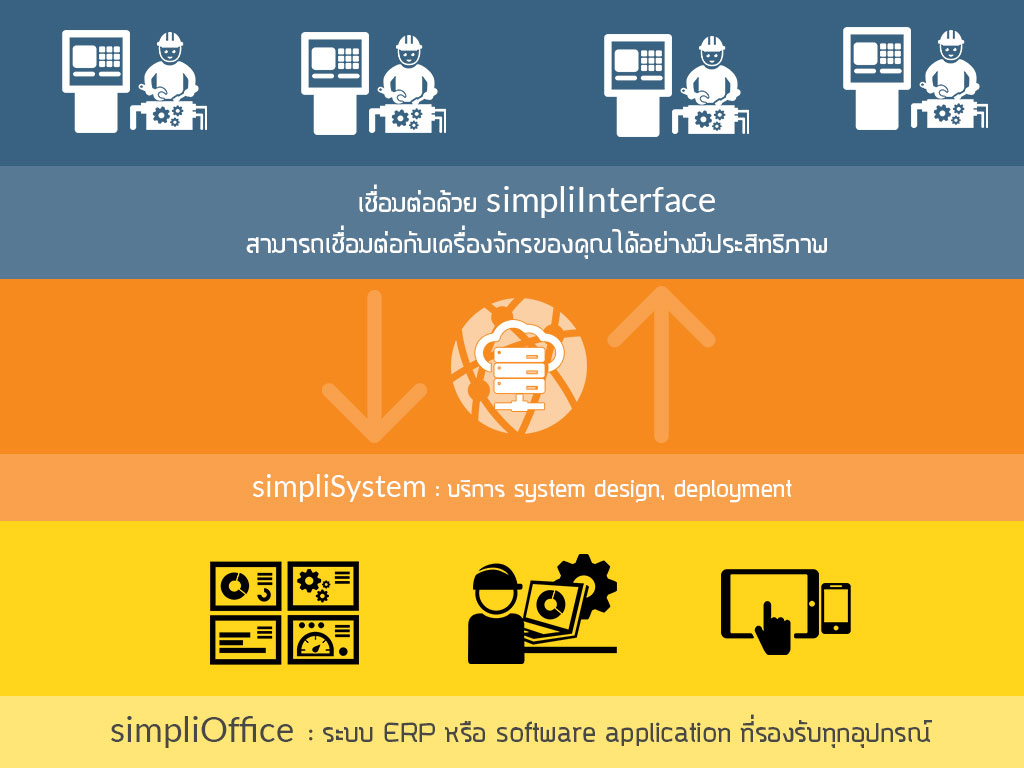
6. A Common Architecture Pattern
[ Sensors / Users ]
        ↓
[ GPU Training Cluster ]
        ↓
[ Model Export ]
        ↓
[ LPU Inference Engine ]
        ↓
[ Business Logic / ERP / MES ]
This hybrid approach:
- Uses GPU for flexibility
- Uses LPU for speed
- Keeps costs under control
7. The Biggest Mistake Companies Make
❌ Choosing hardware first
✅ Designing the decision workflow first
AI accelerators are infrastructure, not strategy.
The real value comes from:
- Data flow design
- Latency budgeting
- Fallback logic
- Human-in-the-loop integration
Final Thought
GPU, LPU, and TPU are not competitors — they are tools.
Great AI systems often use more than one.
If your system:
- Must respond in real time → LPU
- Must learn and evolve → GPU
- Must scale massively in the cloud → TPU
The right answer is rarely either-or. It’s architecture.
Get in Touch with us

Chat with Us on LINE
iiitum1984
Related Posts
- ERP项目为何失败(以及如何让你的项目成功)
- Why ERP Projects Fail (And How to Make Yours Succeed)
- Payment API幂等性设计:用Stripe、支付宝、微信支付和2C2P防止重复扣款
- Idempotency in Payment APIs: Prevent Double Charges with Stripe, Omise, and 2C2P
- Agentic AI in SOC Workflows: Beyond Playbooks, Into Autonomous Defense (2026 Guide)
- 从零构建SOC:Wazuh + IRIS-web 真实项目实战报告
- Building a SOC from Scratch: A Real-World Wazuh + IRIS-web Field Report
- 中国品牌出海东南亚:支付、物流与ERP全链路集成技术方案
- 再生资源工厂管理系统:中国回收企业如何在不知不觉中蒙受损失
- 如何将电商平台与ERP系统打通:实战指南(2026年版)
- AI 编程助手到底在用哪些工具?(Claude Code、Codex CLI、Aider 深度解析)
- 使用 Wazuh + 开源工具构建轻量级 SOC:实战指南(2026年版)
- 能源管理软件的ROI:企业电费真的能降低15–40%吗?
- The ROI of Smart Energy: How Software Is Cutting Costs for Forward-Thinking Businesses
- How to Build a Lightweight SOC Using Wazuh + Open Source
- How to Connect Your Ecommerce Store to Your ERP: A Practical Guide (2026)
- What Tools Do AI Coding Assistants Actually Use? (Claude Code, Codex CLI, Aider)
- How to Improve Fuel Economy: The Physics of High Load, Low RPM Driving
- 泰国榴莲仓储管理系统 — 批次追溯、冷链监控、GMP合规、ERP对接一体化
- Durian & Fruit Depot Management Software — WMS, ERP Integration & Export Automation