Building a Real-Time OEE Tracking System for Manufacturing Plants
Introduction
Overall Equipment Effectiveness (OEE) is the gold standard metric for measuring manufacturing productivity. Yet most factories still rely on manual data collection, end-of-shift reports, or disconnected spreadsheets — leaving managers blind to what’s happening on the floor right now.
A real-time OEE tracking system changes that entirely. By capturing machine data as it happens, you can identify problems the moment they occur, not hours later. This guide walks you through exactly how to build one from scratch — from sensor integration to live dashboards.
What Is OEE and Why Does It Matter?
OEE measures how effectively a manufacturing plant uses its equipment. It is calculated using three factors:
OEE = Availability × Performance × Quality
| Factor | What It Measures | Example Loss |
|---|---|---|
| Availability | Uptime vs. planned production time | Unplanned breakdowns, changeovers |
| Performance | Actual speed vs. ideal speed | Slow cycles, minor stoppages |
| Quality | Good parts vs. total parts produced | Defects, rework, scrap |
A world-class OEE score is considered 85% or above. Most manufacturers operate between 40–60%, meaning there is significant room for improvement — and real-time tracking is the first step toward closing that gap.
System Architecture Overview
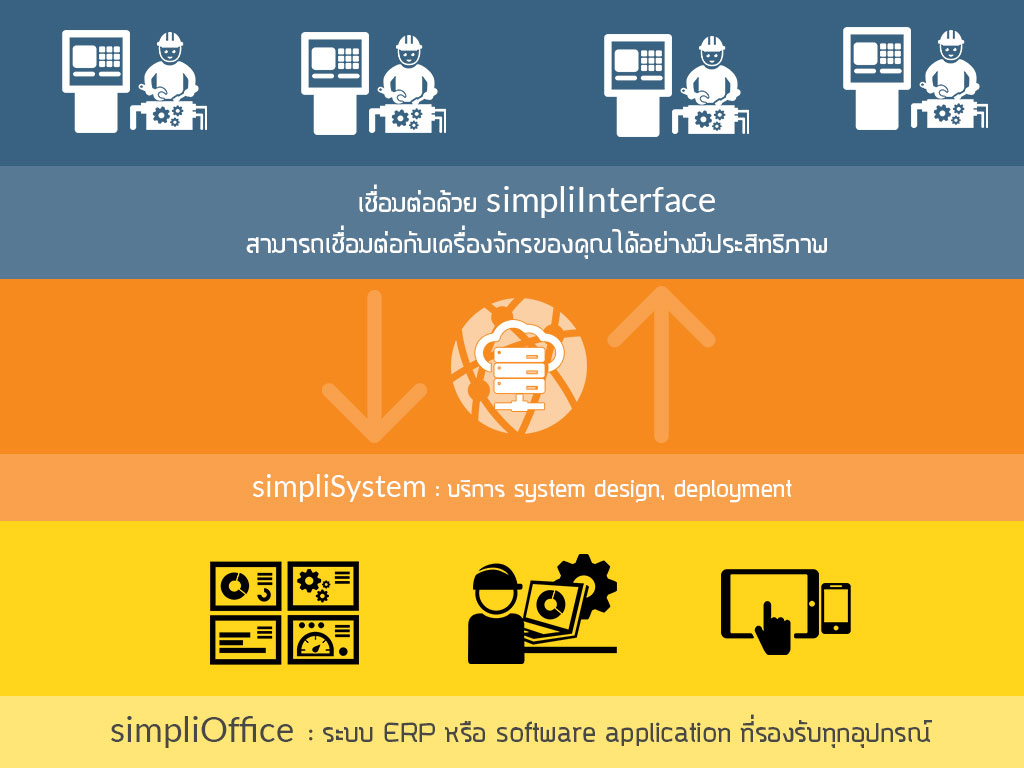
A real-time OEE tracking system consists of four core layers:
┌─────────────────────────────────────────┐
│           PRESENTATION LAYER            │
│     (Dashboards, Alerts, Reports)       │
└─────────────────┬───────────────────────┘
                  │
┌─────────────────▼───────────────────────┐
│            ANALYTICS LAYER              │
│   (OEE Calculation Engine, AI Insights) │
└─────────────────┬───────────────────────┘
                  │
┌─────────────────▼───────────────────────┐
│            DATA LAYER                   │
│  (Time-Series DB, Message Broker/MQTT)  │
└─────────────────┬───────────────────────┘
                  │
┌─────────────────▼───────────────────────┐
│            EDGE / DEVICE LAYER          │
│   (PLCs, Sensors, Edge Gateways, IoT)   │
└─────────────────────────────────────────┘
Each layer has a specific role, and keeping them separated allows you to scale or swap components independently.
Step 1: Connect to the Machines
Option A — Direct PLC Integration
Most modern machines have PLCs (Programmable Logic Controllers) that expose data via industrial protocols:
- OPC-UA — the modern standard, works with most PLCs
- Modbus TCP/RTU — common in older equipment
- MQTT — lightweight, ideal for IoT-connected machines
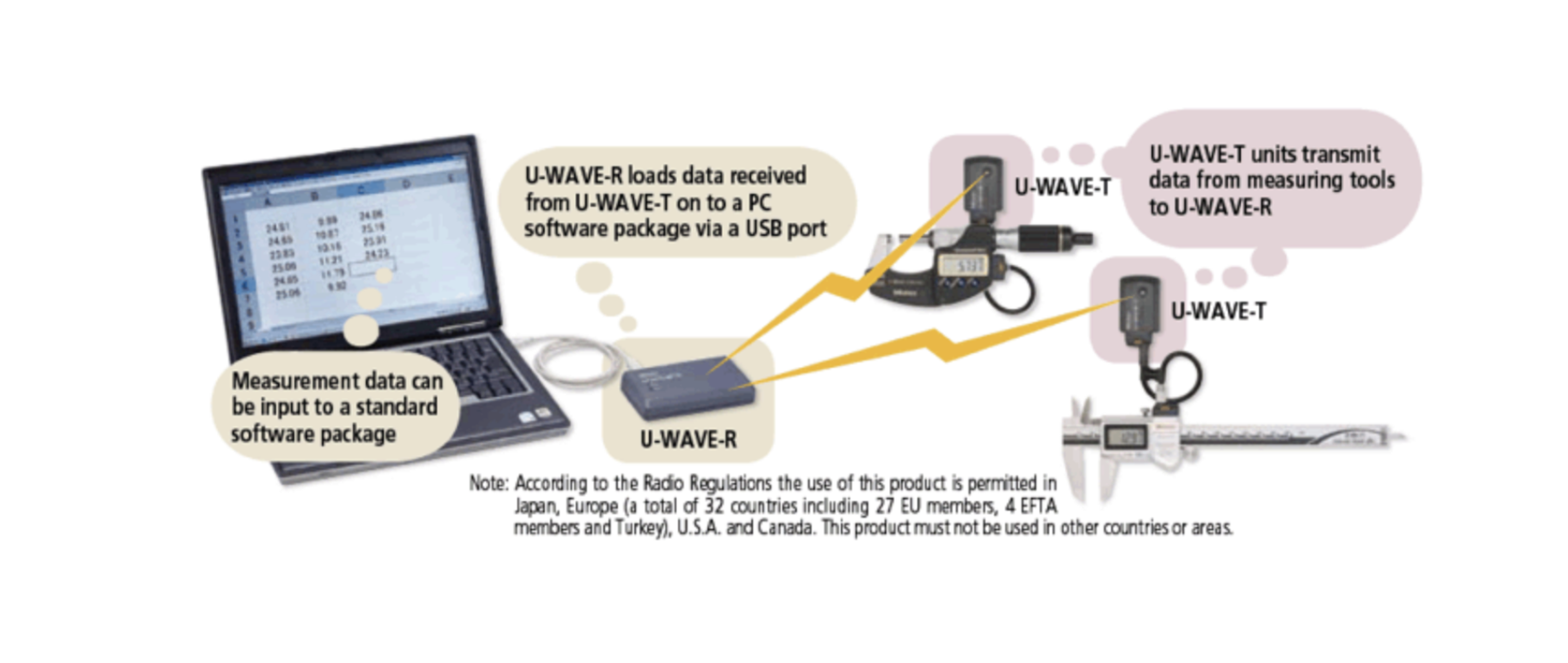
Use an edge gateway (e.g., Ignition Edge, Node-RED, or a custom Raspberry Pi setup) to poll the PLC and publish data to your central broker.
# Example: Reading machine status via OPC-UA (Python)
from opcua import Client

client = Client("opc.tcp://192.168.1.100:4840")
client.connect()

machine_status = client.get_node("ns=2;i=1001").get_value()  # 1=Running, 0=Stopped
parts_count    = client.get_node("ns=2;i=1002").get_value()
reject_count   = client.get_node("ns=2;i=1003").get_value()

client.disconnect()
Option B — Sensor Retrofit
For older machines without digital outputs, install sensors directly:
- Current transducers — detect when a motor is running
- Vibration sensors — identify abnormal machine behavior
- Photoelectric counters — count parts as they pass
- Vision systems — detect defects automatically
These sensors feed data into an edge device (e.g., Arduino, Raspberry Pi, or industrial IoT gateway), which normalizes and forwards it upstream.
Step 2: Build the Data Pipeline
Message Broker (MQTT)
Use MQTT as the backbone for machine data. It is lightweight, reliable, and purpose-built for industrial IoT.
Topic structure:
factory/{plant}/{line}/{machine}/status
factory/{plant}/{line}/{machine}/parts
factory/{plant}/{line}/{machine}/rejects
factory/{plant}/{line}/{machine}/downtime_reason
A broker like Eclipse Mosquitto or HiveMQ handles message routing between edge devices and your backend.
Time-Series Database
Store all machine events in a time-series database for fast querying over time windows:
| Database | Best For |
|---|---|
| InfluxDB | Open-source, great developer experience |
| TimescaleDB | PostgreSQL-compatible, familiar SQL |
| AWS Timestream | Fully managed, no infrastructure |
| Historian (OSIsoft PI) | Enterprise-grade, common in large plants |
Step 3: Build the OEE Calculation Engine
This is the core of your system. The engine consumes raw machine events and computes OEE in real time.
Data Model
-- Machine events table (stored in time-series DB)
CREATE TABLE machine_events (
    timestamp       TIMESTAMPTZ NOT NULL,
    machine_id      TEXT NOT NULL,
    event_type      TEXT,           -- 'running', 'stopped', 'fault'
    parts_produced  INTEGER,
    parts_rejected  INTEGER,
    downtime_reason TEXT
);
OEE Calculation Logic
from datetime import datetime, timedelta

def calculate_oee(machine_id: str, start: datetime, end: datetime) -> dict:
    # Fetch events from DB
    events = get_events(machine_id, start, end)

    planned_time     = (end - start).total_seconds() / 60  # minutes
    unplanned_stops  = sum(e.duration for e in events if e.type == 'fault')
    planned_stops    = sum(e.duration for e in events if e.type == 'planned_stop')

    run_time         = planned_time - planned_stops - unplanned_stops
    total_parts      = sum(e.parts_produced for e in events)
    rejected_parts   = sum(e.parts_rejected for e in events)
    ideal_cycle_time = 0.5  # minutes per part (machine spec)

    availability = run_time / (planned_time - planned_stops)
    performance  = (total_parts * ideal_cycle_time) / run_time
    quality      = (total_parts - rejected_parts) / total_parts

    oee = availability * performance * quality

    return {
        "oee":          round(oee * 100, 2),
        "availability": round(availability * 100, 2),
        "performance":  round(performance * 100, 2),
        "quality":      round(quality * 100, 2),
    }
Refresh Interval
For real-time tracking, recalculate OEE on a rolling window:
- Live view → recalculate every 30–60 seconds
- Shift view → recalculate every 5 minutes
- Daily/weekly reports → batch calculation at end of period
Step 4: Downtime Categorization
Raw downtime data is not enough. You need to know why a machine stopped.
ANDON / Operator Input
When a machine stops, prompt the operator (via tablet or touchscreen at the station) to classify the reason:
🔴 MACHINE STOPPED — Line 3, Machine 7
Please select downtime reason:

[ 1 ] Mechanical Failure
[ 2 ] Awaiting Material
[ 3 ] Quality Issue
[ 4 ] Planned Maintenance
[ 5 ] Changeover / Setup
[ 6 ] Operator Break
[ 7 ] Other
This data becomes the foundation for your Pareto analysis — identifying which downtime categories cost you the most OEE points.
Automatic Detection (Advanced)
Use machine learning to auto-classify downtime based on sensor signatures, eliminating the need for manual input and reducing human error.
Step 5: Build the Real-Time Dashboard
Your dashboard is what turns data into decisions. A good OEE dashboard answers three questions at a glance:
- What is happening right now?
- Where are the biggest losses?
- Is today better or worse than yesterday?
Key Dashboard Components
┌──────────────────────────────────────────────────────┐
│  PLANT OEE: 73.2%   ▲ +4.1% vs. yesterday           │
├──────────────┬───────────────┬───────────────────────┤
│ AVAILABILITY │  PERFORMANCE  │       QUALITY         │
│    88.5%     │    86.3%      │       95.8%           │
├──────────────┴───────────────┴───────────────────────┤
│  LINE STATUS                                         │
│  Line 1 ● Running    OEE: 81%                        │
│  Line 2 ● Running    OEE: 75%                        │
│  Line 3 ● STOPPED ⚠  Downtime: 14 min               │
│  Line 4 ● Running    OEE: 69%                        │
├─────────────────────────────────────────────────────-┤
│  TOP DOWNTIME REASONS (Today)                        │
│  ████████████ Mechanical Failure    42 min           │
│  ████████     Awaiting Material     28 min           │
│  ████         Changeover            15 min           │
└──────────────────────────────────────────────────────┘
Recommended Tech Stack for the Dashboard
| Component | Recommended Tools |
|---|---|
| Frontend | Grafana, Power BI, React + Recharts |
| Backend API | FastAPI (Python), Node.js/Express |
| Real-time updates | WebSockets, Server-Sent Events |
| Alerting | PagerDuty, Slack webhooks, SMS |
Step 6: Alerts and Escalation
A real-time system is only valuable if the right people are notified immediately when something goes wrong.
Alert Rules to Implement
- OEE drops below threshold (e.g., below 65%) → notify line supervisor
- Machine stopped for more than 5 minutes → notify maintenance team
- Reject rate exceeds 2% → notify quality manager
- Performance below 70% for 30 minutes → notify production manager
Sample Alert Webhook (Slack)
import requests

def send_alert(machine_id: str, message: str):
    payload = {
        "text": f":rotating_light: *OEE Alert — {machine_id}*\n{message}"
    }
    requests.post(SLACK_WEBHOOK_URL, json=payload)

# Usage
send_alert("Line3-M7", "Machine stopped for 8 minutes. No downtime reason entered.")
Step 7: Reporting and Continuous Improvement
Real-time tracking generates the data; continuous improvement is what creates the value. Use your system to drive structured improvement cycles.
Daily Reports (Auto-Generated)
- OEE by line and machine
- Top 5 downtime reasons
- Shift comparison (Day vs. Night)
- Parts produced vs. target
Weekly Pareto Analysis
Rank downtime categories by total minutes lost per week and focus improvement efforts on the top 2–3 causes. This follows the 80/20 rule — typically 20% of downtime causes account for 80% of lost production time.
Integration with PDCA / Kaizen
Feed OEE data directly into your lean manufacturing workflows:
Plan  → Identify top OEE loss from dashboard
Do    → Implement countermeasure on the line
Check → Monitor OEE trend over next 2 weeks
Act   → Standardize if improvement is confirmed
Common Pitfalls to Avoid
1. Tracking OEE without planned production time
Always define a planned production schedule. OEE without a baseline is meaningless.
2. Ignoring planned stops in availability
Scheduled breaks, maintenance windows, and changeovers should not count against availability. Only unplanned stops do.
3. Over-automating downtime classification
Start with manual operator input. It builds accountability and gives you cleaner data than auto-detection alone.
4. Building a dashboard nobody uses
Involve operators and supervisors in the design process. A dashboard that answers their questions will be used daily.
5. Chasing 100% OEE
World-class is 85%. Pushing beyond that often means running machines unsafely or skipping necessary maintenance.
Technology Stack Summary
| Layer | Open-Source Options | Enterprise Options |
|---|---|---|
| Edge/Connectivity | Node-RED, Ignition Edge | Kepware, Wonderware |
| Message Broker | MQTT Mosquitto | HiveMQ, AWS IoT Core |
| Time-Series DB | InfluxDB, TimescaleDB | OSIsoft PI, AWS Timestream |
| OEE Engine | Custom Python/Node.js | Sight Machine, Rockwell FactoryTalk |
| Dashboard | Grafana, Metabase | Power BI, Tableau, Ignition |
| Alerting | Grafana Alerts, custom webhooks | PagerDuty, OpsGenie |
Conclusion
Building a real-time OEE tracking system is one of the highest-ROI investments a manufacturing plant can make. The combination of instant visibility, automated alerts, and structured improvement cycles can realistically push OEE from 55% to 75%+ within a year — recovering hours of lost production every single day.
The key is to start simple. Connect one machine. Build the calculation engine. Get one dashboard on the floor. Then expand from there.
The data is already being generated on your factory floor — you just need a system to capture it.
Have questions about implementing OEE tracking in your plant? Share your challenges in the comments below.
Get in Touch with us

Chat with Us on LINE
iiitum1984
Related Posts
- 中国品牌出海东南亚:支付、物流与ERP全链路集成技术方案
- 再生资源工厂管理系统:中国回收企业如何在不知不觉中蒙受损失
- 如何将电商平台与ERP系统打通:实战指南(2026年版)
- AI 编程助手到底在用哪些工具?(Claude Code、Codex CLI、Aider 深度解析)
- 使用 Wazuh + 开源工具构建轻量级 SOC:实战指南(2026年版)
- 能源管理软件的ROI:企业电费真的能降低15–40%吗?
- The ROI of Smart Energy: How Software Is Cutting Costs for Forward-Thinking Businesses
- How to Build a Lightweight SOC Using Wazuh + Open Source
- How to Connect Your Ecommerce Store to Your ERP: A Practical Guide (2026)
- What Tools Do AI Coding Assistants Actually Use? (Claude Code, Codex CLI, Aider)
- How to Improve Fuel Economy: The Physics of High Load, Low RPM Driving
- 泰国榴莲仓储管理系统 — 批次追溯、冷链监控、GMP合规、ERP对接一体化
- Durian & Fruit Depot Management Software — WMS, ERP Integration & Export Automation
- 现代榴莲集散中心:告别手写账本,用系统掌控你的生意
- The Modern Durian Depot: Stop Counting Stock on Paper. Start Running a Real Business.
- AI System Reverse Engineering:用 AI 理解企业遗留软件系统(架构、代码与数据)
- AI System Reverse Engineering: How AI Can Understand Legacy Software Systems (Architecture, Code, and Data)
- 人类的优势:AI无法替代的软件开发服务
- The Human Edge: Software Dev Services AI Cannot Replace
- From Zero to OCPP: Launching a White-Label EV Charging Platform