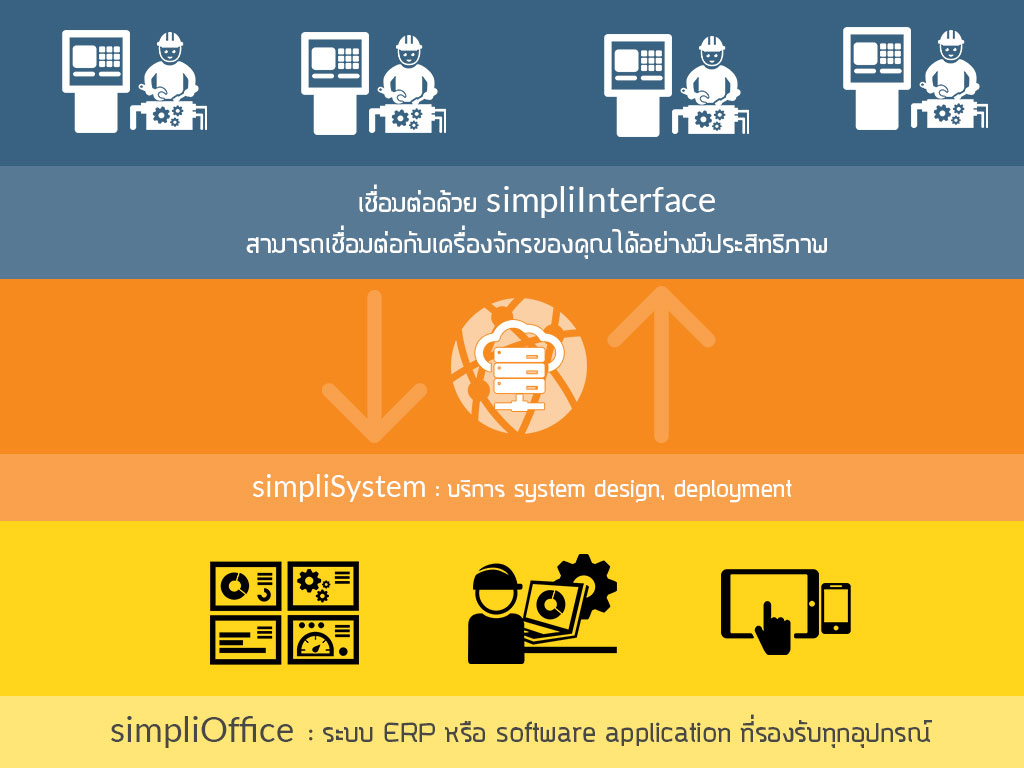
Automated Certificate Generator from XLSX Templates
Overview
The COI (Certificate of Inspection) Automation System streamlines the process of generating inspection certificates directly from Excel templates. Built for manufacturing and quality-control environments, it replaces manual report creation with a fast, data-driven workflow — ensuring consistent layouts, accurate data, and bilingual output (English-Japanese).
How It Works
Users upload a pre-designed XLSX certificate template containing placeholders such as {lot_no}, {qa1}, {qa2}, {spec}, etc.
When a lot number is entered and QA users are selected, the system automatically retrieves inspection data, replaces placeholders, and generates a ready-to-download file (Excel or PDF).
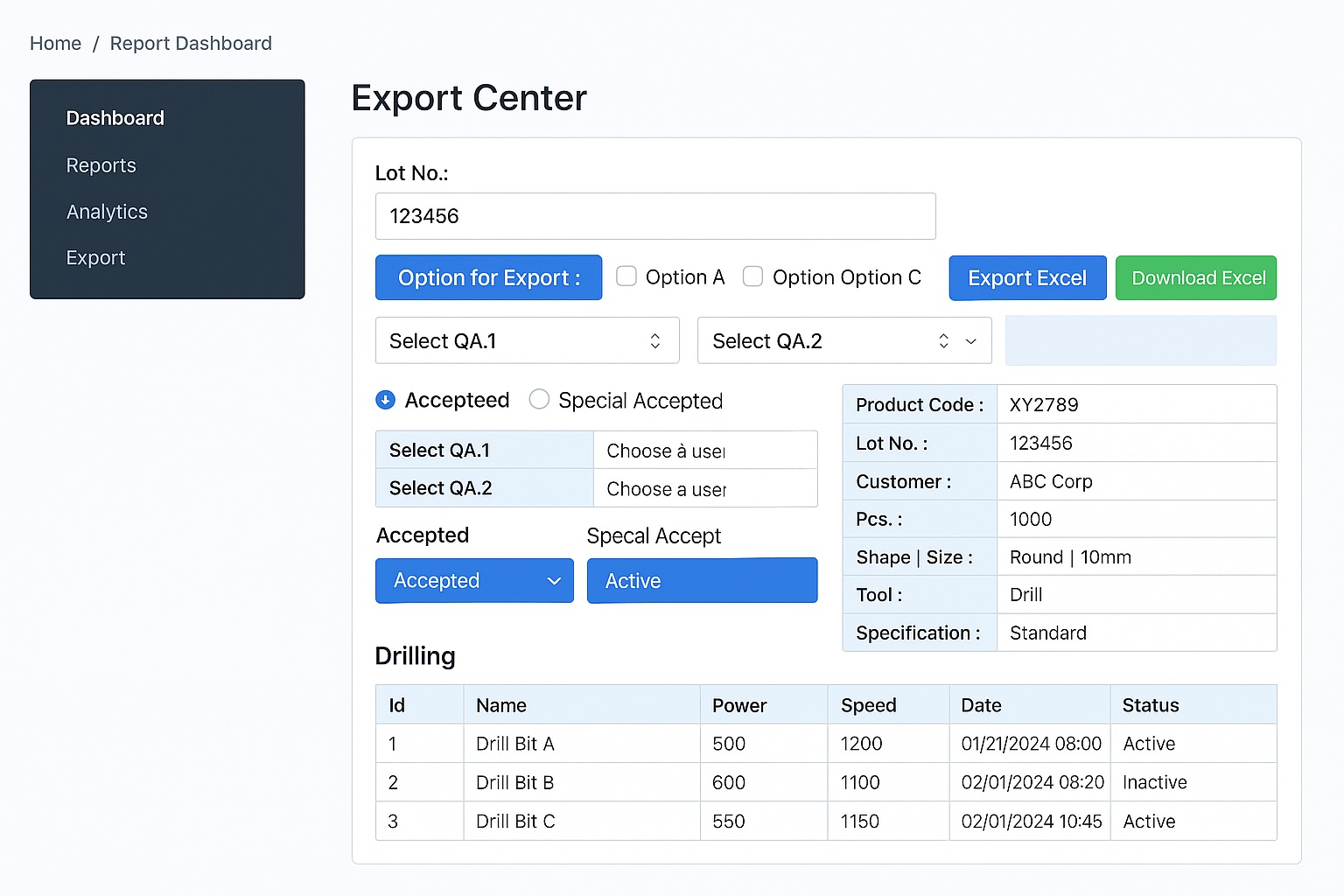
The interface includes:
- Lot Number Search
- Export Options (Checkboxes)
- QA.1 / QA.2 Dropdowns
- Acceptance Status Selection (Accepted / Special Accepted)
- Export Excel & Download Buttons
- Inspection Results Table
System Workflow
flowchart TD
  A["Start"] --> B["Upload XLSX Template"]
  B --> C["Define Placeholders<br/>{lot_no}, {qa1}, {qa2}, {spec}"]
  C --> D["Select Data Source<br/>CSV / DB / API"]
  D --> E["Map Fields<br/>data.lot_no → {lot_no}, data.qa1 → {qa1}"]
  E --> F["User Inputs Lot No., QA.1, QA.2, Status"]
  F --> G["System Validation"]
  G -->|Valid| H["Generate Filled XLSX"]
  G -->|Error| I["Show Error: Missing Data / Invalid Mapping"]
  H --> J["Convert to PDF (Optional)"]
  J --> K["Provide Download Link"]
  K --> L["Notify User (Email / In-App)"]
  L --> M["Archive Certificate + Audit Trail"]
  M --> N["Finish"]
Key Features
- ✅ Reusable XLSX Templates – Upload once, reuse for any product or client.
- ⚙️ Batch Generation – Create hundreds of certificates in seconds.
- 🧠 Auto-fill & Validation – Ensures QA and lot fields are complete before export.
- 🧾 PDF + XLSX Outputs – Flexible formats for internal or customer use.
- 📋 Audit & Archive – Keeps generated files with logs for compliance tracking.
- 🌐 Multi-language Ready – Supports English, Japanese, and Thai labels.
Interface Overview
- Sidebar navigation: Dashboard, Reports, COI Export, Customer Templates, Settings.
-
Main view:
- Lot search field
- Export options
- QA selectors and status
- Export Excel button
- Generated inspection data table
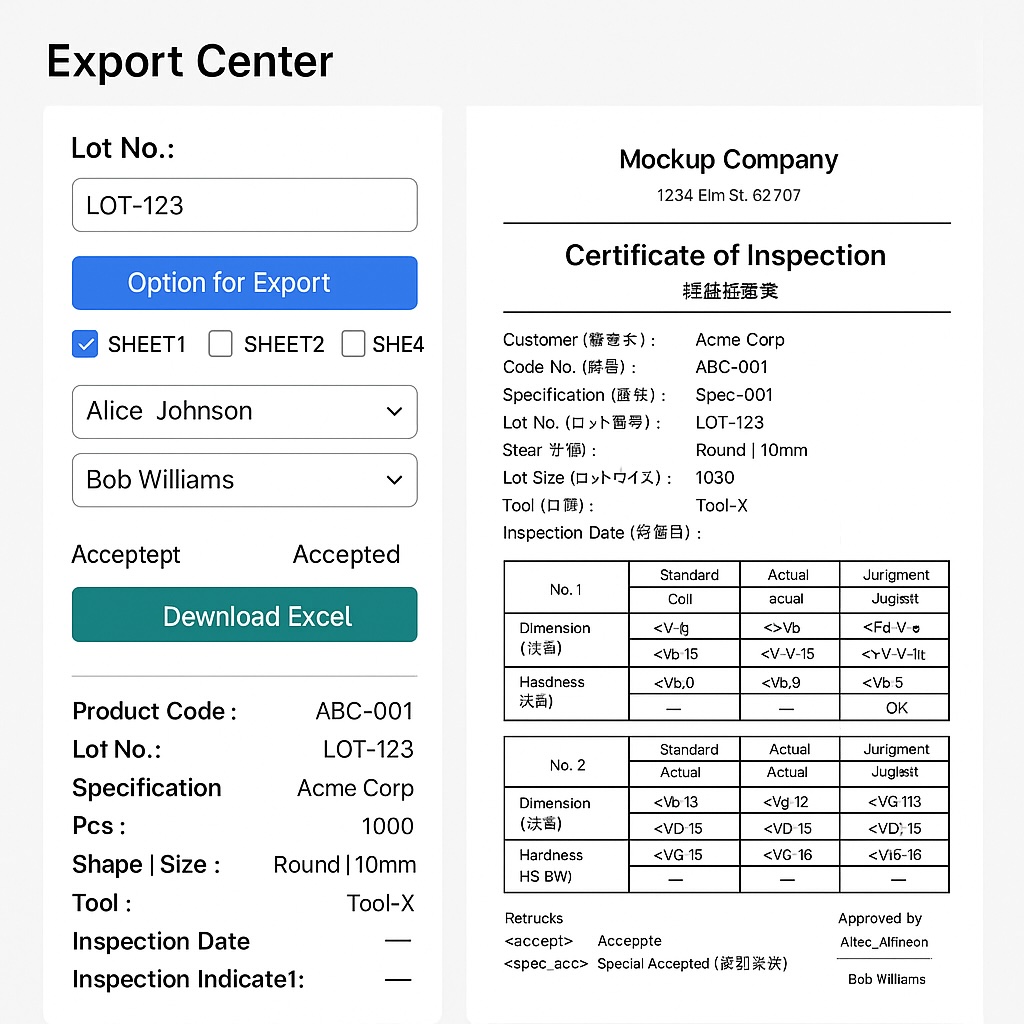
Output Sample: Certificate of Inspection
| Field | Example Data |
|---|---|
| Customer | Simplico Inspection Co., Ltd. |
| Product Code | ABC-100X |
| Lot No. | L24091 |
| Tool No. | T-5523 |
| Inspection Date | 2025-10-14 |
| QA.1 | John Doe |
| QA.2 | Jane Smith |
| Status | Accepted |
| Inspection Item | Standard | Actual | Judgement |
|---|---|---|---|
| Dimension | ±0.01 mm | +0.009 mm | OK |
| Balance | ≤ 0.5 g | 0.32 g | OK |
| Appearance | No Defect | Pass | OK |
| Hardness | 60 ± 2 HRC | 61 | OK |
🧩 Technical Implementation
1. Framework & Stack
- Backend: Django (Python 3.11)
- Frontend: Tailwind CSS + Alpine.js + Flowbite UI
- Database: PostgreSQL (certificate metadata, QA user lists)
-
Libraries:
openpyxl– read/write XLSX templatesreportlab/xlsx2pdf– PDF conversionaxios– asynchronous certificate generation via APIdjango-browser-reload– live UI updates during template testing
2. Template Engine Logic
Each uploaded Excel template defines placeholders such as {lot_no}, {qa1}, {spec}.
At runtime:
- The system loads the Excel sheet via
openpyxl. - It scans each cell for placeholders using regex.
- It replaces placeholders with actual values from the database query.
- The filled workbook is saved to
/media/certificates/. - A signed URL is generated for download or audit logging.
Example (simplified Python snippet):
from openpyxl import load_workbook

def fill_certificate(template_path, data):
    wb = load_workbook(template_path)
    ws = wb.active
    for row in ws.iter_rows():
        for cell in row:
            if cell.value and isinstance(cell.value, str):
                for key, val in data.items():
                    cell.value = cell.value.replace(f"{{{key}}}", str(val))
    wb.save("/media/certificates/COI_filled.xlsx")
3. API Workflow (Flask or Django View)
| Step | Endpoint | Method | Description |
|---|---|---|---|
| 1 | /api/start |
POST | Initialize COI generation |
| 2 | /api/upload |
POST | Upload XLSX template |
| 3 | /api/export |
POST | Merge data + generate certificate |
| 4 | /api/download |
GET | Provide download link |
| 5 | /api/status |
GET | Check processing or QA approval state |
4. Frontend Interaction
The front end uses Alpine.js reactive bindings:
<div x-data="COIReport()">
  <input x-model="lot_no" placeholder="Enter Lot No.">
  <select x-model="qa1">...</select>
  <button @click="exportCOI()">Export Excel</button>
</div>
async exportCOI() {
const response = await axios.post('/api/export', {
lot_no: this.lot_no, qa1: this.qa1, qa2: this.qa2
});
this.downloadUrl = response.data.file_url;
}5. Security & Traceability
- Role-based access control for QA and Admins
- Audit logs stored with timestamp, filename, and user ID
- Auto-expiration of download URLs
- Server-side template sanitization to prevent formula injection
6. Scalability
- Dockerized environment with Gunicorn + Nginx
- Task queue (Celery + Redis) for parallel certificate processing
- Static file caching for XLSX/PDF templates
Conclusion
This Simplico Certificate Generator automates the most tedious part of quality control — document preparation.
By combining Django’s reliability, Tailwind’s modern UI, and Excel’s familiarity, it creates a fast, secure, and highly scalable platform for generating professional inspection certificates.
Get in Touch with us

Chat with Us on LINE
iiitum1984
Related Posts
- ERP项目为何失败(以及如何让你的项目成功)
- Why ERP Projects Fail (And How to Make Yours Succeed)
- Payment API幂等性设计:用Stripe、支付宝、微信支付和2C2P防止重复扣款
- Idempotency in Payment APIs: Prevent Double Charges with Stripe, Omise, and 2C2P
- Agentic AI in SOC Workflows: Beyond Playbooks, Into Autonomous Defense (2026 Guide)
- 从零构建SOC:Wazuh + IRIS-web 真实项目实战报告
- Building a SOC from Scratch: A Real-World Wazuh + IRIS-web Field Report
- 中国品牌出海东南亚:支付、物流与ERP全链路集成技术方案
- 再生资源工厂管理系统:中国回收企业如何在不知不觉中蒙受损失
- 如何将电商平台与ERP系统打通:实战指南(2026年版)
- AI 编程助手到底在用哪些工具?(Claude Code、Codex CLI、Aider 深度解析)
- 使用 Wazuh + 开源工具构建轻量级 SOC:实战指南(2026年版)
- 能源管理软件的ROI:企业电费真的能降低15–40%吗?
- The ROI of Smart Energy: How Software Is Cutting Costs for Forward-Thinking Businesses
- How to Build a Lightweight SOC Using Wazuh + Open Source
- How to Connect Your Ecommerce Store to Your ERP: A Practical Guide (2026)
- What Tools Do AI Coding Assistants Actually Use? (Claude Code, Codex CLI, Aider)
- How to Improve Fuel Economy: The Physics of High Load, Low RPM Driving
- 泰国榴莲仓储管理系统 — 批次追溯、冷链监控、GMP合规、ERP对接一体化
- Durian & Fruit Depot Management Software — WMS, ERP Integration & Export Automation